1 FutbolSport ScienceSign inEnrol

1 Futbol · Sport Science · for clubs

Your GPS export,turned intodecisions

One app for match and training reports, weekly load, the season plan and every player's development — used by the coaching staff on a laptop and by the players on their phones. Built by a sport science lead who prepares a national team.

Game report
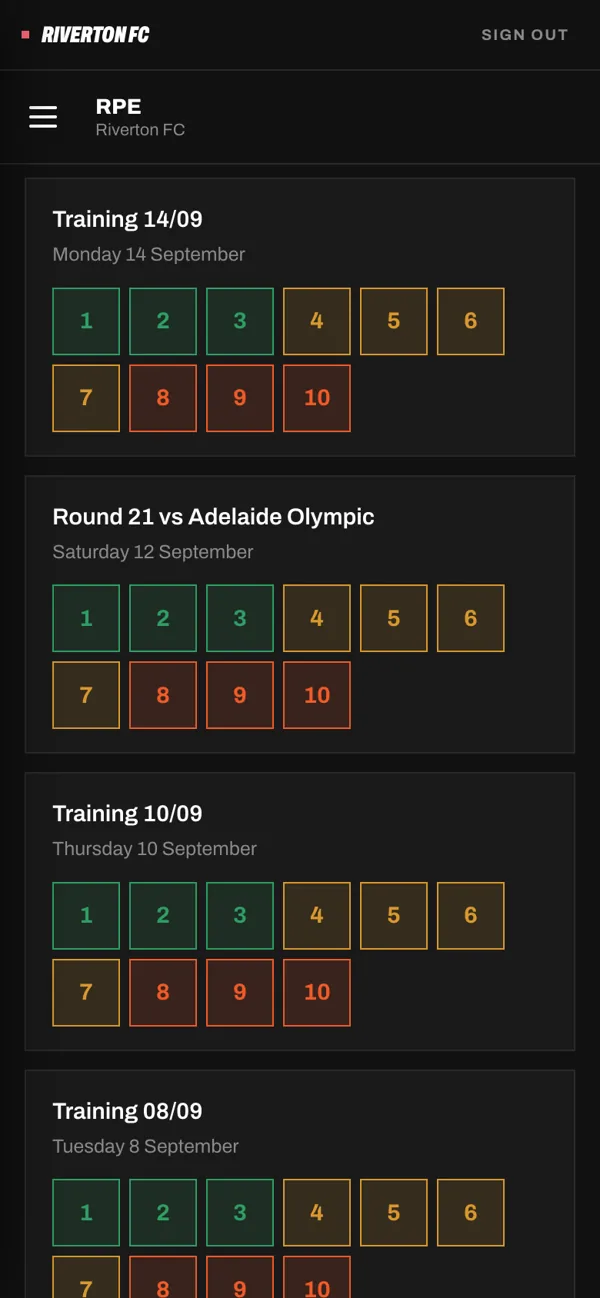
RPE on the player's phone

What it is for

Most GPS data ends up in a folder

Clubs pay for GPS units and the exports sit on a laptop. The coach gets a spreadsheet on Sunday night, or nothing. Minutes are wrong, sprints are counted twice, and nobody knows who is carrying too much load.

1 Futbol Sport Science reads the export for you and answers the questions a staff actually asks: who played, how hard, who is at risk this week, what the next session should be, and what each player should work on next.

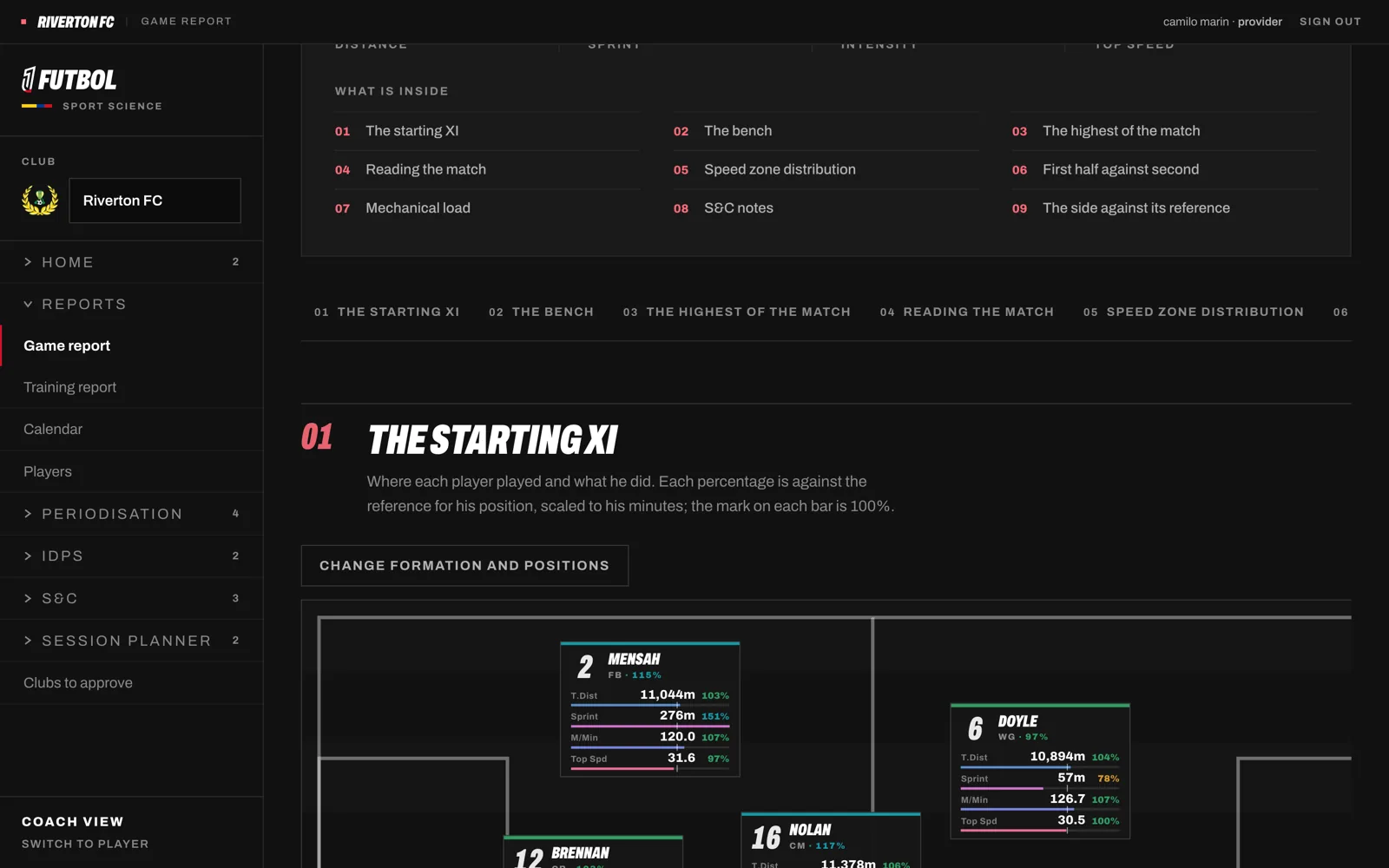
01 · Game report

Every match, read the way a sport scientist reads it

Upload the Catapult export and the report builds itself: who really played and for how long, distance and speed zones by half, the drop in intensity after the break, top performers and the players to watch this week — with SportsBase stats beside the GPS.

  • Minutes estimated from movement, not Catapult's Duration
  • First half against second, per player
  • Ready as a PDF for the coach
Game report

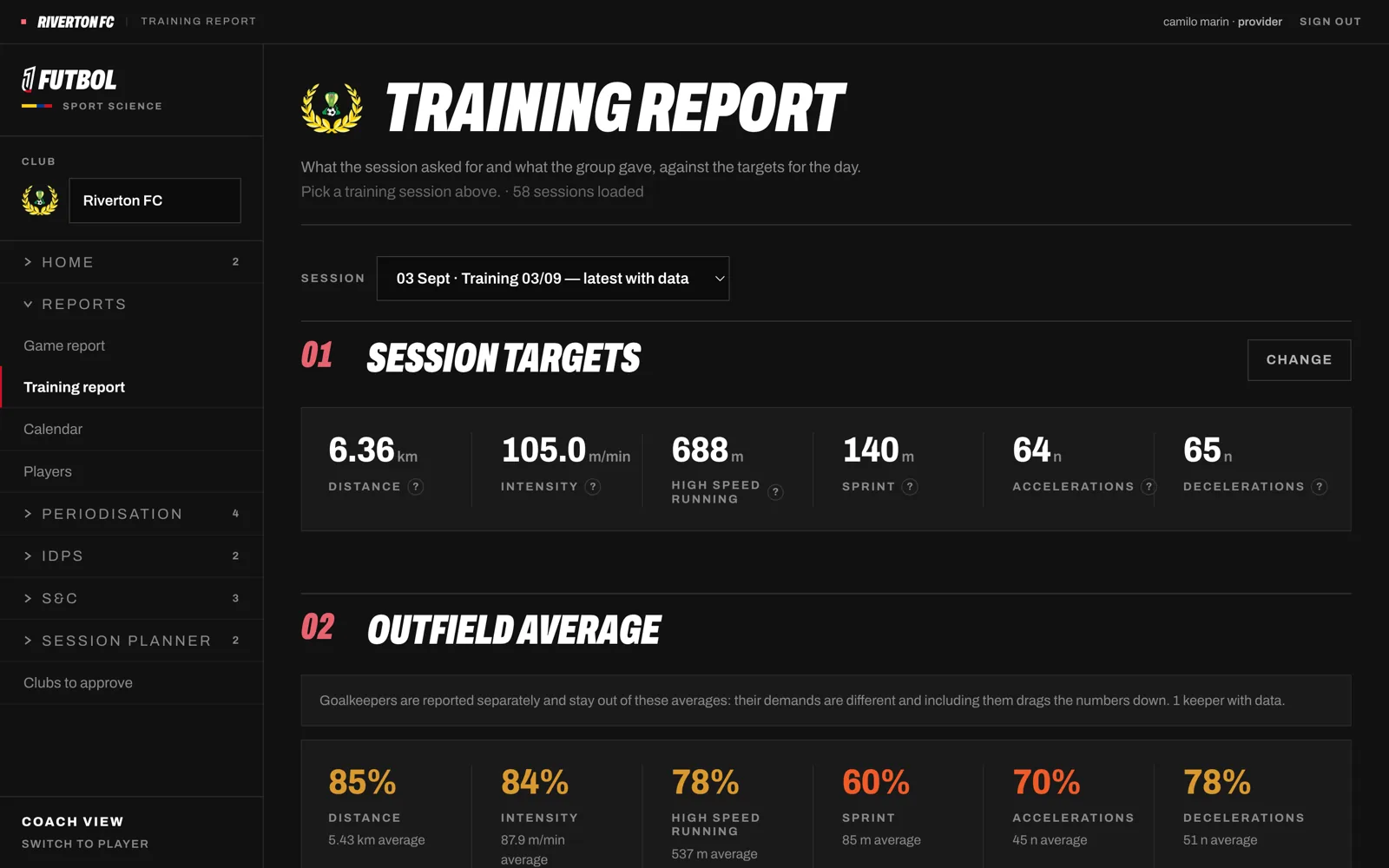
02 · Training report

Did the session do what you planned?

Each session has targets for its type — distance, high-speed running, sprints, accelerations. The report shows every player against them, flags who fell short or went over, and keeps goalkeepers out of the team average.

  • Targets by session type and match day
  • A player without a unit is not a zero
  • What this session tells us, in plain words
Training report

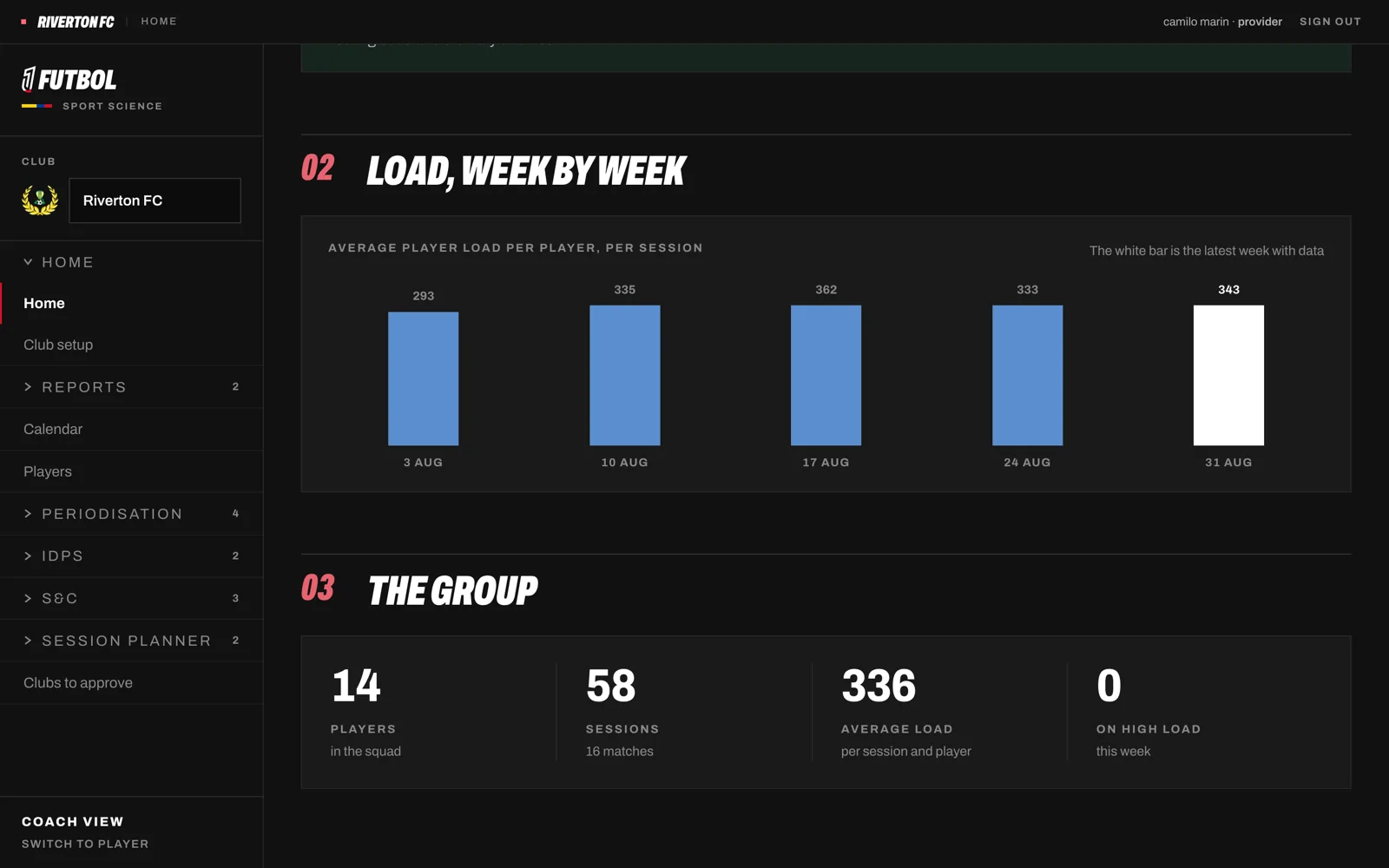
03 · Load report

Know who is carrying too much before Saturday

Players log how hard each session felt on their phone. The app turns it into weekly load, acute and chronic load, ACWR, monotony and strain — and shows who is spiking and who is under-trained.

  • RPE from each player's phone
  • Suggested minutes for the next match
  • The limits of ACWR, said on screen
Load report

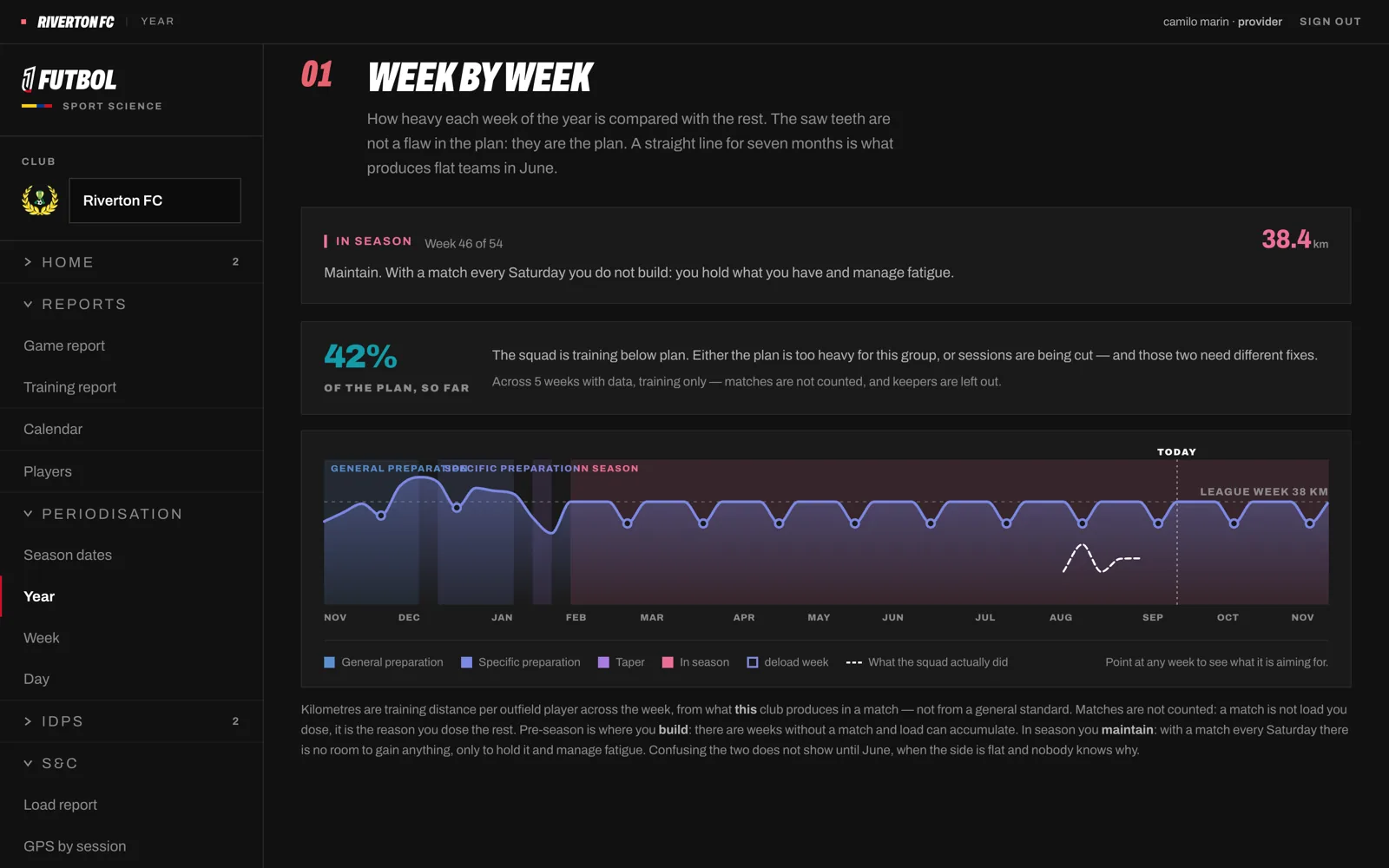
04 · Periodisation

The whole season, down to Tuesday

Three dates — pre-season, round one, the last round — give you the year plan with its deload weeks. From there, the week and the day: session types, intensity and targets that follow the calendar.

  • Season, week and day views
  • Deload every fourth week
  • Calendar with training and fixtures
Periodisation

05 · Session planner

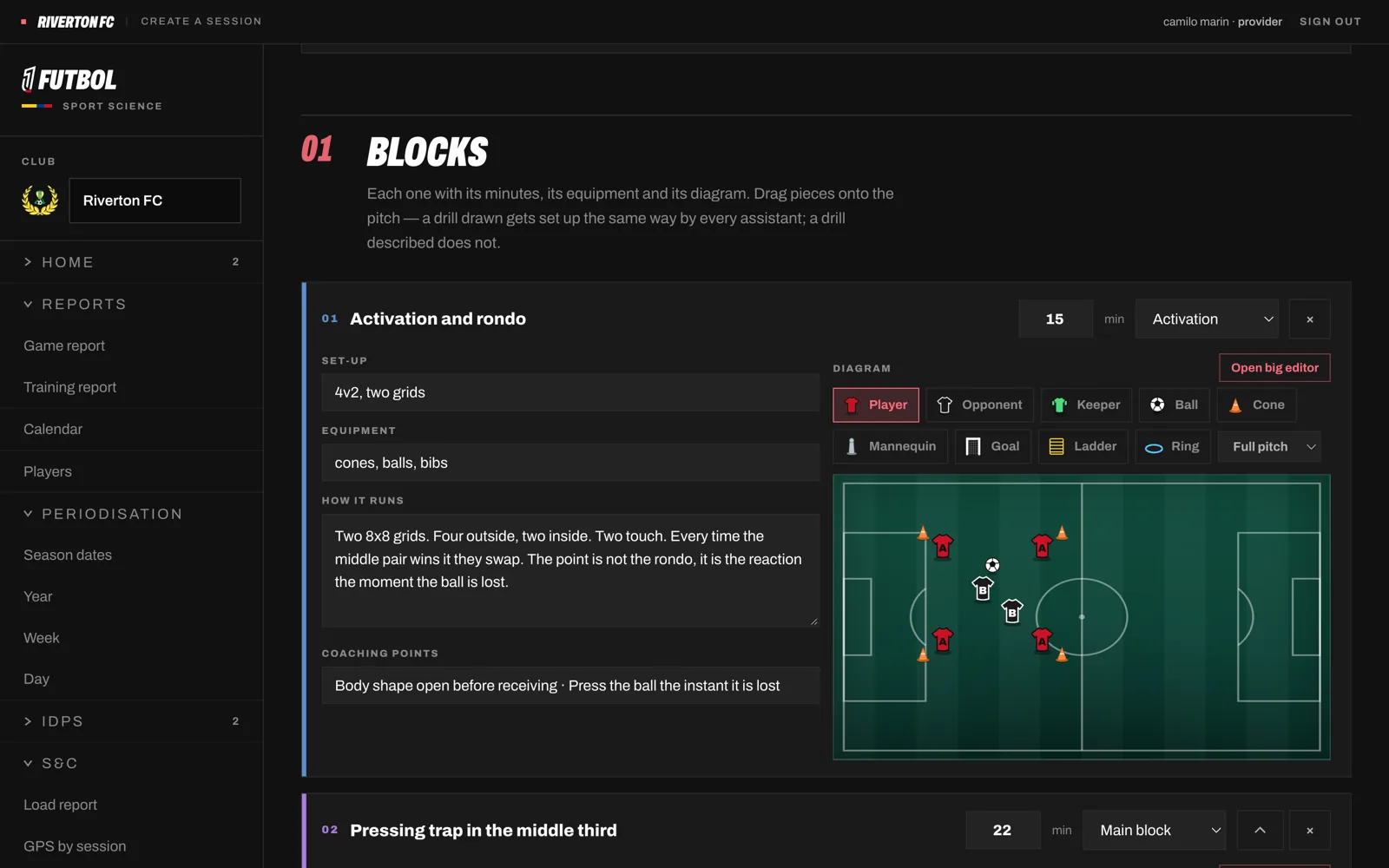
Plan sessions on a drawing board

Build the session on a tactical board, save it to the club library and reuse it. Targets attach to the session, so the training report knows what you intended.

  • A drawing board for every drill
  • Club session library
  • Targets that flow into the report
Session planner

06 · Development plans

An individual plan for every player, without writing 22 of them

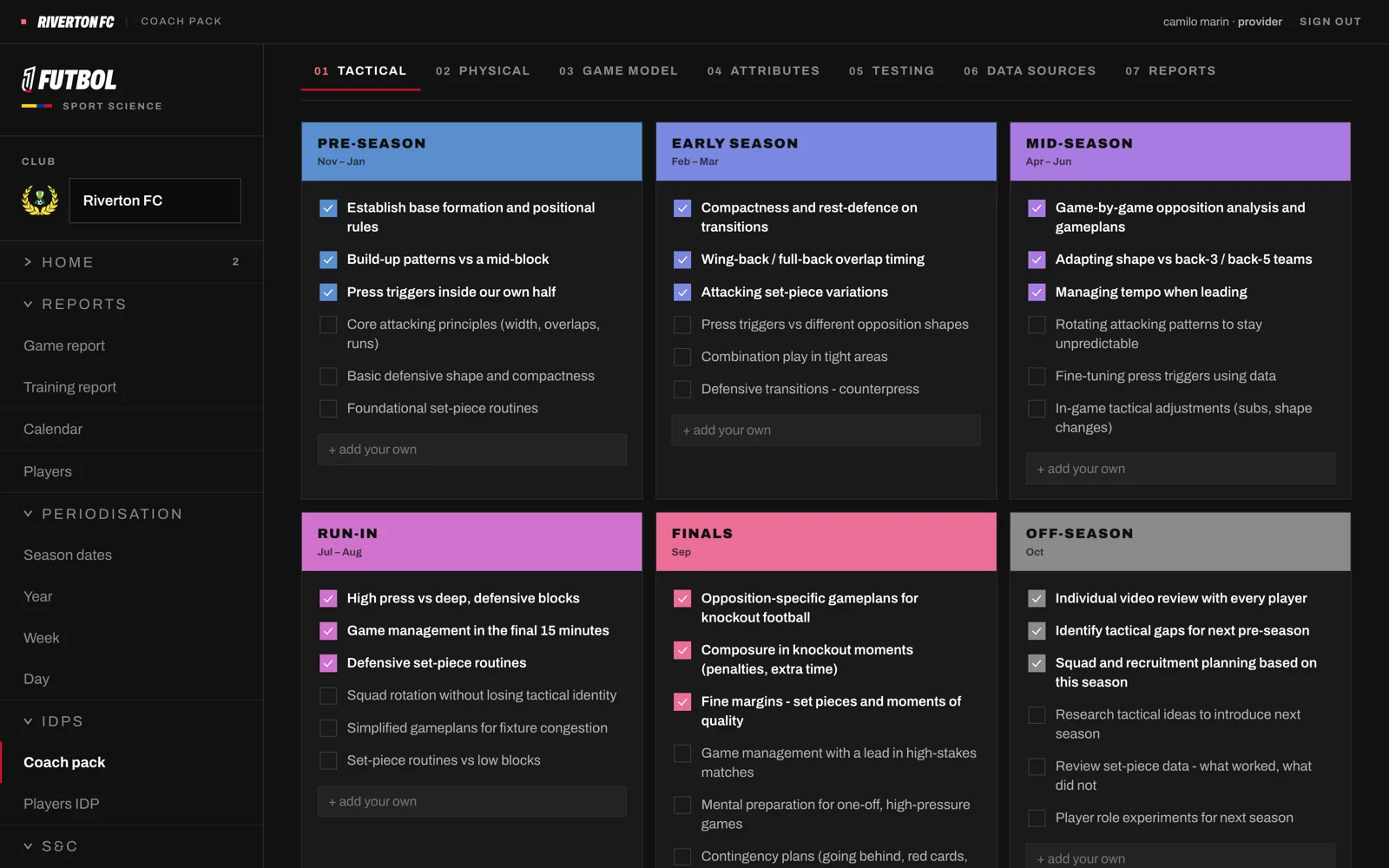
The head coach fills in the Coach pack once — game model, season phases, what to track. Each player completes a self-assessment on their phone. The app puts the two together into an individual development plan.

  • Coach pack, once a season
  • Player self-assessment
  • IDP generated and exportable to PDF
Development plans

For players

The squad carries it in their pocket

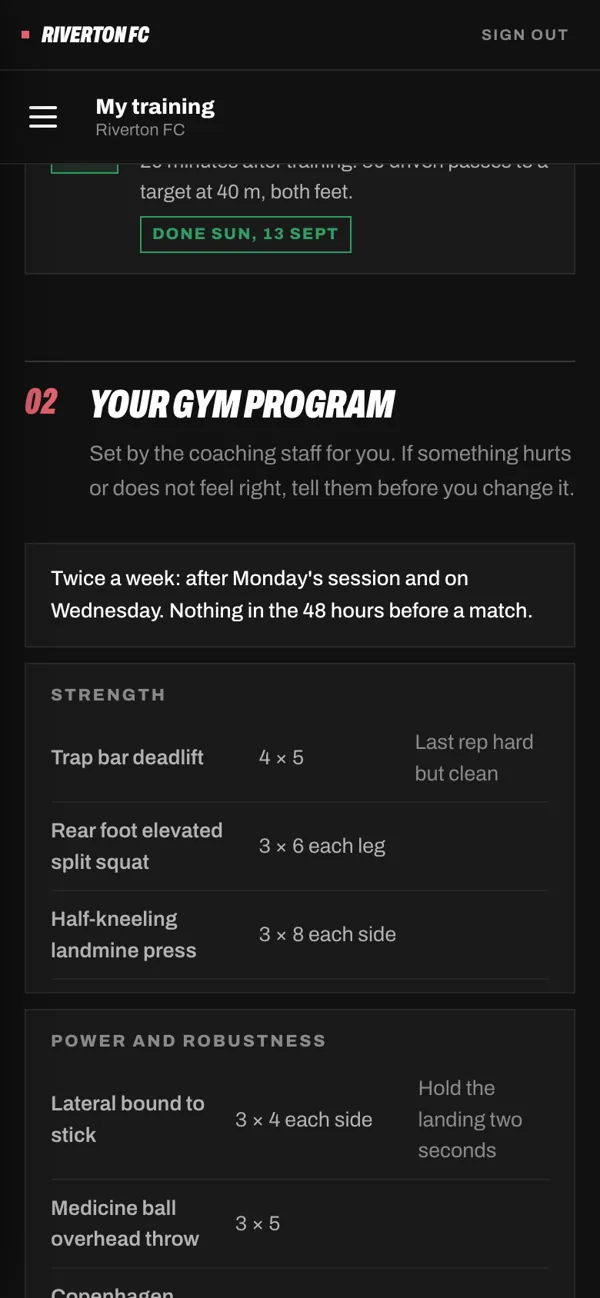
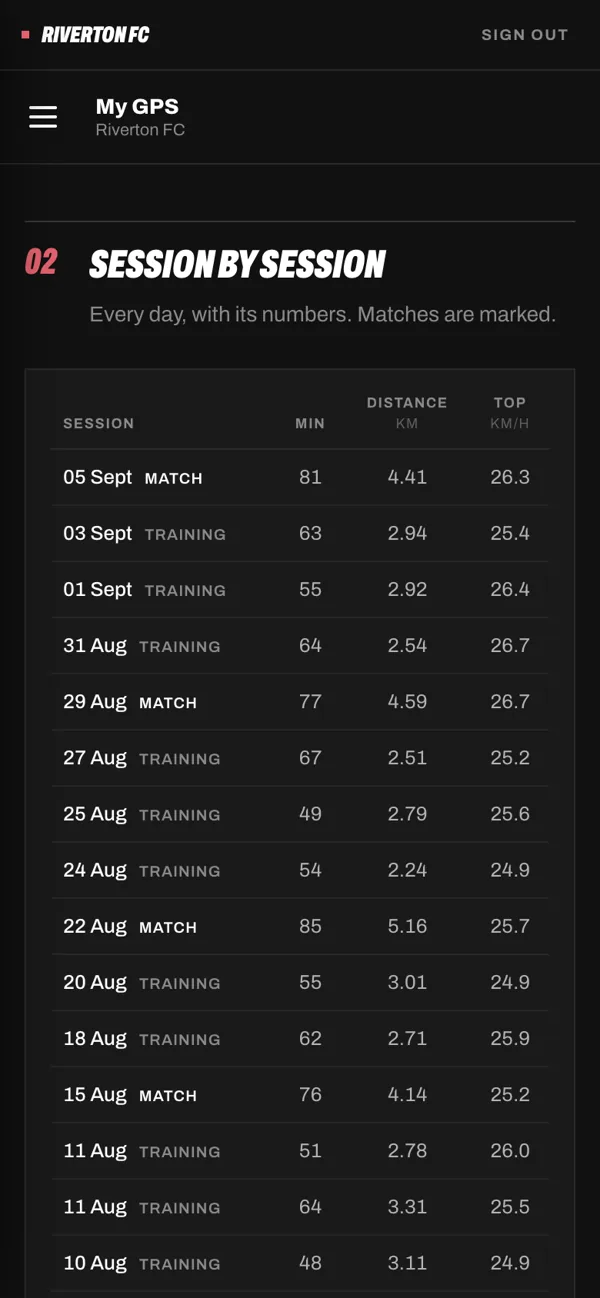
Players open the app on their phone: they log how hard each session felt, see their training and their GPS, and follow their own development plan. They never see a teammate's data.

RPE
My training
My GPS

Who uses it

Each role sees what it needs

Head coach

  • Game report after every match
  • Season, week and day plan
  • Squad goals in one screen

S&C coach

  • Upload Catapult and SportsBase
  • Load report and suggested minutes
  • Session targets and training report

Physio

  • Squad load and availability
  • Medical notes kept to the staff
  • No access to what they do not need

Players

  • Log RPE after each session
  • Their training, GPS and plan
  • Never a teammate's data

The details are the product

Mistakes the app does not make

≠ min

Duration is not minutes played

Catapult's Duration includes warm-up and half-time: a 90-minute starter shows 100 to 113. The app estimates minutes from movement.

m/min

Compare intensity, not distance

Total distance punishes the player who came on at 70 minutes. Players are compared against their own average per minute.

GK

Goalkeepers are not outfield players

They cover half the distance by definition. Their data is reported, never averaged with the team.

0 ≠ —

No unit is not a zero

A player who trained without a GPS unit did not run 0 metres. The app says "not measured", and keeps them out of the averages.

Getting started

From sign-up to your first report

  1. 01

    Register your club

    Create the administrator's account and accept the agreement online.

  2. 02

    Set up the club

    Staff accounts, the squad and each player's invitation, season dates and fixtures.

  3. 03

    We approve it

    We check the registration and your first exports, then switch on uploads.

  4. 04

    Upload after every session

    Catapult and SportsBase files in, reports and load out — the same day.

Privacy

Health data, handled like health data

  • Stored in Sydney. Player data does not leave Australia.
  • Access by role, enforced by the database. A player sees their own data, never a teammate's; the physio sees only what a physio needs.
  • Consent first. Every player accepts in the app before anything about them can be read.
  • Your club's data is your club's. Never shared between clubs, never sold, never used for advertising.

Bring your club in

Register online, or talk to Camilo first about your squad, your GPS provider and what your staff needs.